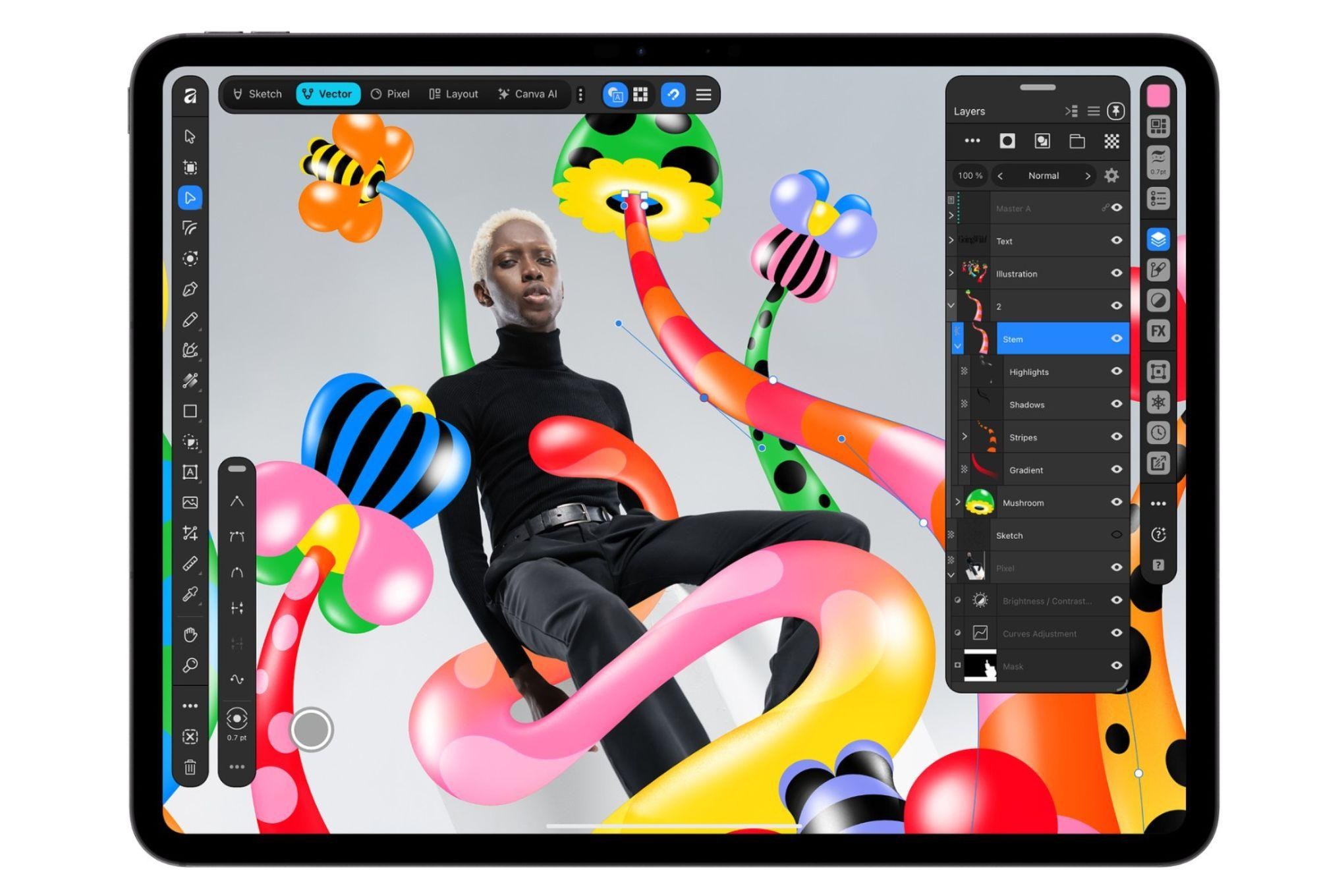
Canva launches Affinity for iPad, offering free vector, photo, and layout tools with Apple Pencil Pro support and optional AI features via Canva Pro.
Affinity Arrives on iPad with Full Creative Arsenal
Canva is expanding its creative software lineup with the release of Affinity for iPad, a new app that brings the full power of the Affinity suite to Apple's tablet. Following the relaunch of Affinity as an all-in-one desktop app last year, this iPad version offers the same pro-grade tools for vector graphics, photo editing, illustration, and page layouts, all optimized for Apple Pencil and touchscreens. The best part? The core tools are completely free for individual users, though a free Canva account is required.
The app introduces a new Sketch Studio designed specifically for freehand drawing and simplifying sketch-to-vector workflows. This includes optimized tools for masking and automatically converting rough sketches into cleaner geometric shapes. Affinity for iPad also supports Apple Pencil Pro capabilities such as natural gestures, pressure sensitivity, tilt, barrel roll, squeeze, and hover, giving creatives more precise control over tools and shortcuts.
"Affinity for iPad delivers the full power of Affinity, together with the versatility and portability of iPad," said Neil Ladkin, Affinity product design head, in the announcement. "Every development decision was made by people who create on iPad themselves, from how the Apple Pencil responds to where the tools sit. If you're the sort of person who rotates the canvas 40 times to get one line right, Affinity for iPad was made by people who've done exactly that."
Unified File Format and AI-Powered Enhancements
One of the key advantages of Affinity for iPad is its ability to save sketch, vector design, photo editing, and layout projects all to the same .af file. This streamlines workflows by limiting the need to export, convert, or recreate work across different applications. The app is also compatible with all major design file types, ensuring seamless integration with existing projects.
Canva has integrated its AI Studio into the app, offering features like Generative Expand for extending backgrounds, automatic motion blur and noise reduction, and image resolution scaling. These AI tools are optional and require a Canva Pro subscription, which starts at $18 per month. This move aligns with Canva's strategy to incorporate generative AI across its products while maintaining a free tier for core functionality.
Addressing Subscription Concerns and Market Impact
When Canva acquired Affinity-developer Serif in 2024, some users worried that Affinity would shift from a one-time license to a subscription model and fully adopt Canva's generative AI tech, potentially eroding the suite's appeal compared to Adobe's offerings. However, Canva and Serif pledged not to force users into subscriptions, and so far, they have kept that promise. The free version of Affinity for iPad includes all core sketch, vector, photo editing, and layout tools, while the AI features remain an optional add-on.
This launch positions Affinity for iPad as a compelling alternative for digital creatives who want professional-grade tools on a tablet without being locked into a subscription. With Apple Pencil Pro support and a unified file format, it caters to illustrators, designers, and photo editors who value portability and flexibility. As the creative software landscape continues to evolve, Canva's move to offer a free, powerful iPad app could disrupt the market and attract users seeking a cost-effective solution.